A WhatsApp chat widget should feel like it belongs on your website - not like a random green button dropped into the corner five minutes before launch.
That might sound like a small design detail, but it matters. Your chat button is often one of the most visible interactive elements on the page. It follows visitors while they browse, sits close to key CTAs, and quietly says: "Hey, you can talk to us here."
When it looks off-brand, too pushy, or badly placed, people notice. When it matches your website design, brand colors, tone of voice, and mobile layout, it feels natural. That is the difference between a widget people ignore and a widget that becomes a real conversion touchpoint.
And the demand is already there - especially if your business serves mobile-first customers or multicultural audiences in the U.S. According to Pew Research Center, 32% of U.S. adults use WhatsApp, up from 23% in 2021. Usage is even stronger in several audience segments: Pew reported that 54% of Hispanic adults and 51% of Asian adults in the U.S. used WhatsApp.
So, when you add a WhatsApp chat widget to your website, you are not just adding "one more contact option." You are meeting a real group of visitors in a channel they already know, already use, and already associate with quick, low-friction conversations.
The question is not only:
"Should we add a WhatsApp button?"
The better question is:
"How do we make the WhatsApp widget match the brand, feel trustworthy, and stay easy to use?"
That is exactly what this guide covers.
What you will learn in this article
- Why a branded WhatsApp chat widget can improve trust and reduce friction
- Which parts of a WhatsApp widget can be customized
- How to choose colors, text, icons, placement, and behavior
- How to use Wapp Chat Widget as a no-code WhatsApp chat widget customization tool
- How a WhatsApp widget can support your conversion path
- A practical checklist before publishing your widget
Why a Customized WhatsApp Chat Button Matters
A basic WhatsApp button can work. But a customizable WhatsApp chat widget usually works better because it feels like part of the customer journey, not an external add-on.
Think about the difference between these two experiences.
One website has a default floating WhatsApp icon in bright green, covering the "Add to Cart" button on mobile. The greeting says something generic like "Hi there!" and opens at the wrong moment.
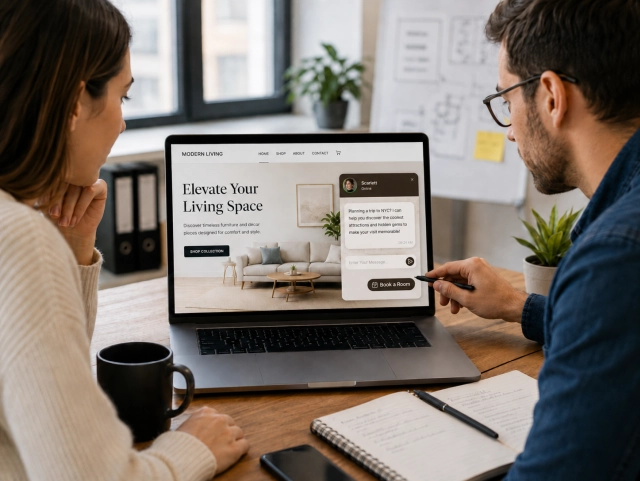
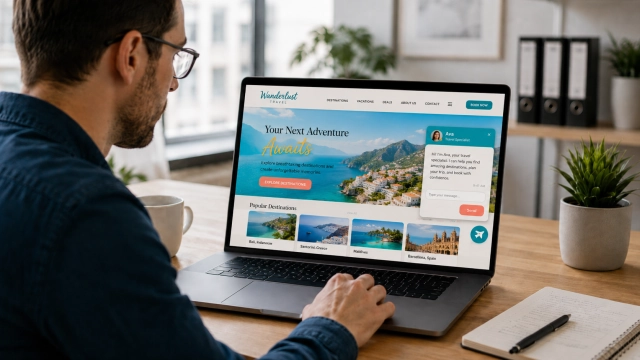
Another website has a branded WhatsApp chat widget using the company's accent color, a friendly message that matches the page, clean spacing, and a mobile-safe position. It feels intentional. It feels like the business actually thought about the visitor.
That second version is not just "prettier." It is better UX.
Branding builds trust before the first message
People make trust decisions quickly online. Stanford Web Credibility Project recommends showing that there is a real organization behind the site and making it easy for users to verify information. Its guidelines also connect credibility with the overall quality and clarity of the website experience.
Your WhatsApp widget is part of that credibility layer.
If every visual element on the site is polished but the chat button looks generic, oversized, or disconnected from the brand system, it creates a tiny trust gap.
Not a disaster. But still friction.
A branded WhatsApp chat widget helps close that gap by making the chat experience feel native to your site.
Personalization is now expected
Customers are used to tailored experiences. McKinsey research shows that 71% of consumers expect companies to deliver personalized interactions, while 76% get frustrated when that does not happen.
Widget customization is a lightweight version of personalization. You are not building a full CRM-powered experience yet, but you are adapting the communication touchpoint to your audience, brand, and page context.
For example, a real estate website may use a calm, premium-looking widget with the message "Ask about this property." A dental clinic may use something softer, like "Have a question before booking?" An ecommerce store may use "Need help choosing the right size?" A B2B SaaS landing page may say "Talk to us about your setup."
Same WhatsApp channel. Very different intent.
That is where WhatsApp chat widget customization starts to feel useful.
What Can You Customize in a WhatsApp Chat Widget?
A good custom WhatsApp widget for website branding is not only about changing the button color.
The real goal is to make the widget feel like a natural part of your website: visually, functionally, and emotionally. That means your customization should cover several layers - design, copy, placement, behavior, and mobile experience.
Let's go through the most important ones.
Widget colors and visual style
Color is usually the first thing people want to change.
The default WhatsApp green is recognizable, but it does not always fit your website. If your brand uses navy, black, purple, orange, or soft neutral tones, a bright green floating button may look like an outsider.
That is why WhatsApp widget brand colors matter.
The best approach is not to hide WhatsApp completely. It is to combine brand consistency with instant recognition.
| Element | What to customize | Practical tip |
|---|---|---|
| Button background | Main widget color | Use your primary or accent brand color |
| Icon | WhatsApp logo or chat symbol | Keep it recognizable so users know what happens after clicking |
| Chat header | Top area of the widget window | Match your website's UI style |
| Message area | Background and bubble styling | Keep it clean and readable |
| CTA button | Main action inside the widget | Use a clear contrast color |
| Shadow and border | Visual depth | Make it visible without making it look heavy |
A good rule of thumb:
Brand color for the widget. WhatsApp cue for recognition.
That balance helps your WhatsApp widget match website design without losing the mental shortcut people already have with WhatsApp.
Button shape, size, and format
The button shape affects how the widget feels.
A rounded bubble feels casual and familiar. A rectangular button can feel more like a classic website CTA. A small floating icon is subtle. A larger button with text can work better when visitors may not immediately recognize what the icon does.
| Widget format | Best for | When to avoid |
|---|---|---|
| Floating round bubble | General support and always-on contact | If the page already has too many floating elements |
| Button with icon and text | Lead generation and service pages | If space is limited on mobile |
| Compact mobile button | Mobile-heavy traffic | If the text becomes too small to read |
| Inline page button | Landing pages, product pages, contact sections | If you need the widget to follow users across the site |
| Popup-style invitation | High-intent pages | If it interrupts the user too early |
For most websites, the safest setup is a floating button on desktop and a mobile-optimized bubble or compact button on smaller screens.
But do not just make it huge because "we want more clicks." That can backfire.
Baymard Institute's ecommerce usability research highlights that live chat overlays, pop-ups, and sticky chat elements can become disruptive when they interrupt users or block important content, especially on mobile.
Important note
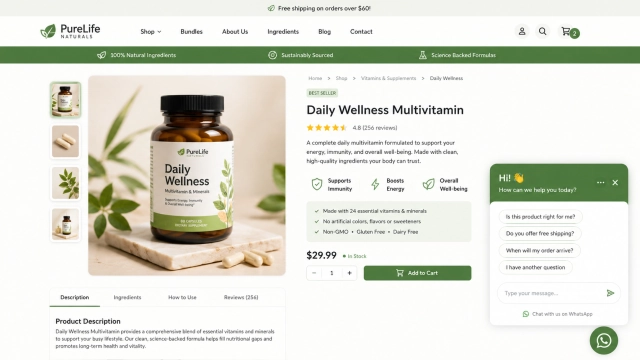
A floating chat button should support the main conversion path, not compete with it. If it covers your checkout button, pricing CTA, cookie banner, or mobile navigation, it is not helping.
Widget placement
Most WhatsApp widgets live in the bottom-right corner. That is familiar and usually safe.
But "usually" does not mean "always."
Placement should depend on your actual layout. If your website already has a cookie banner, sticky cart, mobile bottom navigation, accessibility button, or "Back to top" control, the default corner might not be the best place.
| Placement | Best for | Watch out for |
|---|---|---|
| Bottom-right | Most websites, SaaS, ecommerce | Can overlap sticky CTAs or cookie banners |
| Bottom-left | Sites with right-side checkout or support tools | Slightly less standard for U.S. users |
| Inline page button | Product pages, service pages, landing pages | Less persistent than floating widgets |
| Header CTA | B2B, appointments, consultations | Can feel too salesy if overused |
| Mobile bottom button | High-intent mobile traffic | Must not block navigation or checkout |
For a customize WhatsApp button for website setup, placement should always be checked on desktop, tablet, and mobile before launch.
Welcome message and chat microcopy
The widget design gets attention, but the message gives people a reason to click.
Good WhatsApp chat microcopy should be short, clear, and connected to the visitor's intent. Instead of using a generic greeting, make the message feel relevant to the page and the moment. If someone is viewing pricing, the widget can help them choose a plan. If they are on a product page, it can answer product-related questions. If they are on a contact page, it can offer WhatsApp as the faster route.
This is WhatsApp chat button customization at the copy level. The goal is simple: help visitors understand why they should start a conversation right now.
Keep the tone human, avoid corporate filler, and do not over-explain. A widget is a small UI element, so the copy should work like good microcopy: quick to scan, easy to understand, and useful.
Avatar, agent name, and brand personality
A WhatsApp widget can feel more human when the profile area matches your brand personality.
For a local business, a real team photo can make the conversation feel warmer. For a SaaS product or digital service, a clean logo, support avatar, or brand mark may feel more professional. The agent name, status text, and greeting should also sound believable and consistent with the rest of your website.
The main rule is simple: do not fake a level of availability or personalization you cannot actually support. If your team replies during business hours, say that. If messages go to a general support team, do not make it look like a personal one-on-one concierge chat.
Small details like a clear team name, realistic response expectation, and friendly tone help the widget feel intentional instead of bolted on.
Page-specific messages
A strong WhatsApp widget for website design is not only visually customized. It can also match the page context.
Visitors on your homepage, pricing page, product page, and contact page are not thinking the same thing. So the widget should not always say the same thing.
| Page | Widget message |
|---|---|
| Homepage | "Have a question? Chat with us on WhatsApp." |
| Pricing page | "Need help choosing a plan?" |
| Product page | "Questions about this product?" |
| Checkout page | "Having trouble checking out?" |
| Contact page | "Prefer WhatsApp? Message us here." |
This is not just decoration. It helps reduce hesitation at the exact moment people may need reassurance.
Display behavior and triggers
A widget does not always need to appear everywhere in the same way.
Sometimes it should be visible across the whole site. Sometimes it should only show on high-intent pages. Sometimes it should stay minimized. Sometimes a small prompt can help.
The main thing: be helpful, not clingy.
Baymard Institute's research on live chat usability points out that site-initiated chat can become distracting when it interrupts the task users came to complete.
| Behavior | Better choice |
|---|---|
| Initial state | Keep the widget minimized by default |
| Auto-open | Use carefully, mainly on high-intent pages |
| Delay | Do not trigger too early |
| Closing | Make it obvious and easy |
| Reappearing | Avoid showing the same prompt again and again |
| Mobile behavior | Keep it compact and non-blocking |
A friendly prompt can help. A huge chat popup that jumps into the page after two seconds can feel annoying.
Mobile design
A WhatsApp widget often gets most of its attention on mobile because WhatsApp itself is a mobile-first messaging app.
That makes mobile design a big deal.
Your mobile version should be easy to tap, easy to understand, and small enough not to block the page. It should not cover the mobile menu, checkout CTA, cart button, form fields, or cookie banner.
Mobile-first tip
Design the mobile version first, then adapt it to desktop.
A widget that works well on mobile will usually work fine on desktop. The reverse is not always true.
Where Wapp Chat Widget Fits In
At this point, it is clear that customization is not just a "nice design option." It is part of how the chat experience performs.
This is where Wapp Chat Widget can sit naturally in the workflow.
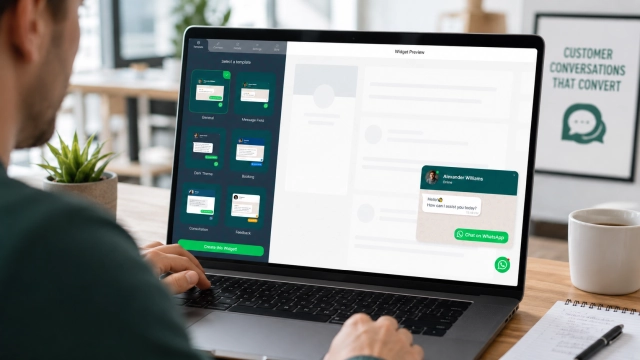
Wapp Chat Widget is built for businesses that want a no code WhatsApp chat widget customization experience. Instead of asking a developer to hard-code a button, adjust CSS, test mobile layouts, and update snippets manually, you can create and style the widget visually.
You can use it to build a custom WhatsApp widget for website pages, match the widget to your brand colors, customize the message, choose the style, and then install it with a simple embed snippet.
The best part is that the customization process does not need to feel technical. You can start with a clean widget setup, adjust the visual style, preview how it looks, and publish it on your site.
That makes it useful for:
- Small business owners who do not want to touch code
- Marketers who need to launch landing pages quickly
- Agencies managing multiple client websites
- Ecommerce teams testing WhatsApp as a support or sales channel
- Service businesses that want more direct conversations
A good widget builder should feel like editing part of your website, not configuring a complicated integration.
Create your branded WhatsApp widget
Why the Widget Should Be Part of Your Conversion Path
A WhatsApp widget should not sit on the site as a decorative support icon. It works best when it has a clear role in the conversion path.
Visitors often hesitate before taking action. They compare prices, check delivery details, wonder whether a service fits their situation, or need one quick answer before they are ready to book, buy, or request a quote. A branded WhatsApp chat widget gives them a low-friction way to continue instead of leaving the page.
This is especially useful when the next step feels too formal. A contact form can be great for structured requests, but it can also feel slow. A phone call may feel too much. Email can feel delayed. WhatsApp sits somewhere in the middle: fast, familiar, conversational, and easy to start.
For ecommerce websites, the widget can support shoppers who are unsure about sizing, availability, delivery, returns, or product details. For service businesses, it can help visitors ask about pricing, availability, appointments, or project fit. For B2B websites, it can become a softer pre-sales touchpoint for people who are interested but not ready to fill out a full lead form.
The important thing is to treat the widget as part of the journey, not as a random add-on. On high-intent pages, it can catch hesitation. On product or service pages, it can answer specific questions. On contact pages, it can give users a faster alternative to the form. And on mobile landing pages, it can turn interest into a real conversation in just a few taps.
That is where a customizable WhatsApp chat widget becomes more than a design element. It becomes a bridge between browsing and talking to your business.
WhatsApp Widget Customization Checklist
Use this before publishing your widget.
| Area | What to check | Good sign | Red flag |
|---|---|---|---|
| Brand colors | Does the widget match your visual identity? | Looks native to the site | Default green clashes with the design |
| Button style | Is the format right for the page? | Bubble, button, or inline CTA fits the intent | Widget feels too large or too hidden |
| Placement | Does it avoid key page elements? | Does not cover CTAs, forms, or navigation | Blocks checkout, cart, or cookie controls |
| Mobile UX | Is it thumb-friendly and readable? | Easy to tap, not intrusive | Covers important mobile content |
| Message | Is the copy specific? | Gives users a clear reason to click | Generic "Hi there!" everywhere |
| Page context | Does the message fit the page? | Pricing, product, and contact pages feel relevant | Same copy across every page |
| Trust | Does it feel like a real business? | Clear team name, tone, and expectation | Looks like a random plugin |
| Behavior | Is it helpful, not pushy? | Minimized by default, easy to close | Auto-opens repeatedly |
| Testing | Did you test real devices? | Works on iOS, Android, and desktop | Only checked in desktop preview |
| Installation | Can your team update it easily? | No-code editor or simple embed | Every change requires a developer |
FAQ: Customizable WhatsApp Chat Widgets
What is a customizable WhatsApp chat widget?
A customizable WhatsApp chat widget is a website widget that lets visitors start a WhatsApp conversation with your business while allowing you to adjust the design, colors, text, placement, and behavior to match your website branding.
Why should I customize my WhatsApp button instead of using the default design?
The default button may work, but customization helps the widget feel more trustworthy and native to your website. A branded WhatsApp chat widget can better match your colors, tone, mobile layout, and customer journey.
Can I customize a WhatsApp button for my website without coding?
Yes. With a no-code WhatsApp chat widget customization tool like Wapp Chat Widget, you can adjust the widget visually and install it using a simple embed code.
Should my WhatsApp widget use WhatsApp green or my brand color?
Both can work. A good approach is to use your brand color for the button or widget background while keeping a recognizable WhatsApp icon. That way, the widget matches your website design but still feels familiar.
Conclusion
A WhatsApp widget is a small element, but it can influence how visitors experience your website.
When it looks consistent with your branding, appears in the right place, uses clear copy, and respects the user's flow, it feels like a natural part of the site. Visitors do not have to search for a contact option, fill out a long form, or decide whether a phone call is worth it. They can simply start a conversation in a channel they already know.
That is the real value of WhatsApp chat widget customization. It is not only about changing the color of a button. It is about making communication feel easier, more trustworthy, and more connected to the way people already browse, compare, and ask questions online.
With Wapp Chat Widget, you can create a branded WhatsApp chat widget that matches your website design, supports your conversion path, and gives visitors a simple way to reach your business - without turning a small website improvement into a developer project.
Sources
- Pew Research Center - Americans' Social Media Use 2025
https://www.pewresearch.org/internet/2025/11/20/americans-social-media-use-2025/ - Stanford Web Credibility Project - Guidelines for Web Credibility
https://credibility.stanford.edu/guidelines/index.html - McKinsey and Company - Unlocking the next frontier of personalized marketing
https://www.mckinsey.com/capabilities/growth-marketing-and-sales/our-insights/unlocking-the-next-frontier-of-personalized-marketing - Baymard Institute - Live Chat Usability Issues
https://baymard.com/blog/live-chat-usability-issues